
High Quality Replacement Battery for Nihon Kohden ECG-1350 ECG-1350A ECG-1350C ECG-1350P, NKB-301V Battery



- Product SKU:AU218S71G26_Oth
- Condition:Brand New
- Capacity:3000mAh
- Voltage:12V
- Technology:NiMH
- Warranty:1 Year Warranty and 30 Days Money Back
 (Viewed: 410)
Your order will be dispatched within 48 hours.
⚡️ Reliability and security
Battery Nihon Kohden NKB-301V is a high-quality replacement for your original battery, which meets all technical requirements for reliability and security.
⚡️ Safety and conformity certificates
Battery Nihon Kohden NKB-301V has CE, FCC and ROHS certificates, and complies with all requirements for safety applicable within the territory of the EU member states.

NKB-301V Battery,Compatible with Nihon Kohden ECG-1350 ECG-1350A ECG-1350C ECG-1350P
+Our batteries are 100% WITH CE-/FCC-/RoHS-Certified for safety
+We only uses high quality materials and grade A battery cells to ensure true capacity and more recharge cycles.
+Thorough, comprehensive testing – each battery cell is tested for correct capacity and to ensure all safety requirements are met - all before installation.
This Nihon Kohden NKB-301V battery Replaces:
NKB-301VThis NKB-301V battery Fits The Following Nihon Kohden Models:
for Nihon Kohden ECG-1350 ECG-1350A ECG-1350C ECG-1350P ECG-2320
for Nihon Kohden TEC-5500 TEC-5521 TEC-5521C TEC-5521E TEC-5521K TEC-5531 TEC-5531C TEC-5531E TEC-5531K TEC-5600 TEC-5601 TEC-5621 TEC-5631
for Nihon Kohden TEC-7600 TEC-7621 TEC-7621C TEC-7621E TEC-7621K TEC-7631 TEC-7631C TEC-7631E TEC-7631K TEC-7641 TEC-7651 TEC-7700 TEC-7721 TEC-7721C TEC-7721E TEC-7721K TEC-7731 TEC-7731C TEC-7731E TEC-7731K TEC-7741 TEC-7751
for Nihon Kohden X065 YZ-024H9 SB-551V NKB-301V TEC7721
FAQs
Q: How to charge the Nihon Kohden NKB-301V battery properly?
A: You should charge the replacement battery for Nihon Kohden NKB-301V before the battery exhaustively discharged, otherwise it will shorten its life. It is feasible to charge the laptop battery before the power is less than 20%. Meanwhile, the battery should be charged in a dry place, and please pay attention to high temperature, which is the biggest threat to battery life.Q: How to deal with the replacement battery for Nihon Kohden NKB-301V when you won't use for a long time?
A: If you let your Nihon Kohden NKB-301V battery lay idle for a long time, please charge the laptop battery or discharge to about 40%, and then put it in a dry and cool place to save. Indoor temperature is best maintained at 15 to 25 degrees Celsius because the temperature is easy to accelerate the battery aging either too high or too low. You'd better fully charge and discharge the battery at least once a month. Finally please save it in accordance with the above method.Q: How to replace your Nihon Kohden NKB-301V Battery?
1.Turn off your Nihon Kohden NKB-301V laptop and disconnect the AC adapter.2.Release the latch or other attachment devices that hold your battery in place.
3.Slide the old battery out of its compartment or storage bay
4.Take the replacement battery for Nihon Kohden NKB-301V laptop out of the box.
5.Slide it into the notch or bay.
6.Close the safety latch to lock it into place.
7.Reconnect the AC adapter and give the new battery for your Nihon Kohden NKB-301V notebook a full charge.
Tags:Nihon Kohden NKB-301V,Nihon Kohden NKB-301V battery,Nihon Kohden NKB-301V Medical Battery,Nihon Kohden NKB-301V Batteries,replacement battery for Nihon Kohden NKB-301V,Nihon Kohden ECG-1350 ECG-1350A ECG-1350C ECG-1350P.
Shipping & Handling
Free Shipping on All Products
All orders placed for Standard Shipping on all stock items will be shipped within 1 - 2 business days.
Estimated Delivery Time:7 - 15 Business Days
It is very easy for you to check the status of your order and locate the package during transit, as an email with a tracking number will be sent to your email address after your order has been shipped out. Tracking number will be emailed to buyer once your ordered item is shipped out.
Attention: Priority mail will be used for all PO Box shipping addresses ,But All APO's and military addresses do not apply here. Please use standard shipping for these. Thank you.
Payment Methods
How can I find my battery’s part number?
1.Make sure the laptop is unplugged and turned off, and that the battery has cooled.
2.Flip the laptop upside down. Push the battery latch to the left "unlock" position. While holding the latch in this position, slide the battery out of the computer.
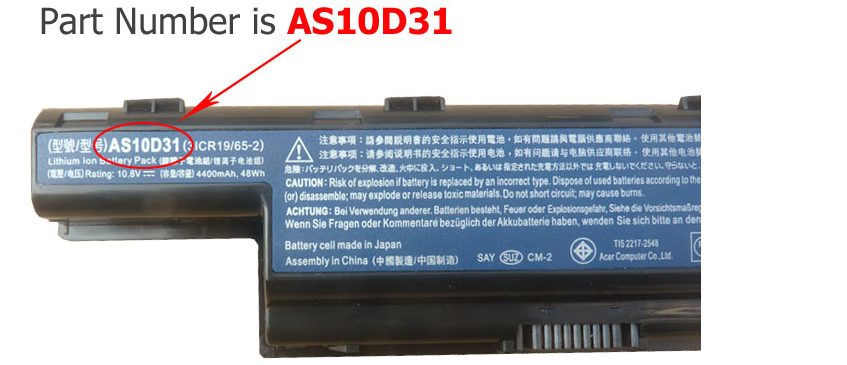
3.Look for the serial number that is printed on the label on the back of the battery. The serial number will be a combination of some letters and numbers that more conspicuous.
4.For you convenience, please refer to the pictures below to see an example for a A32-K93 part number:
How to Find the Model of My Laptop Computer?
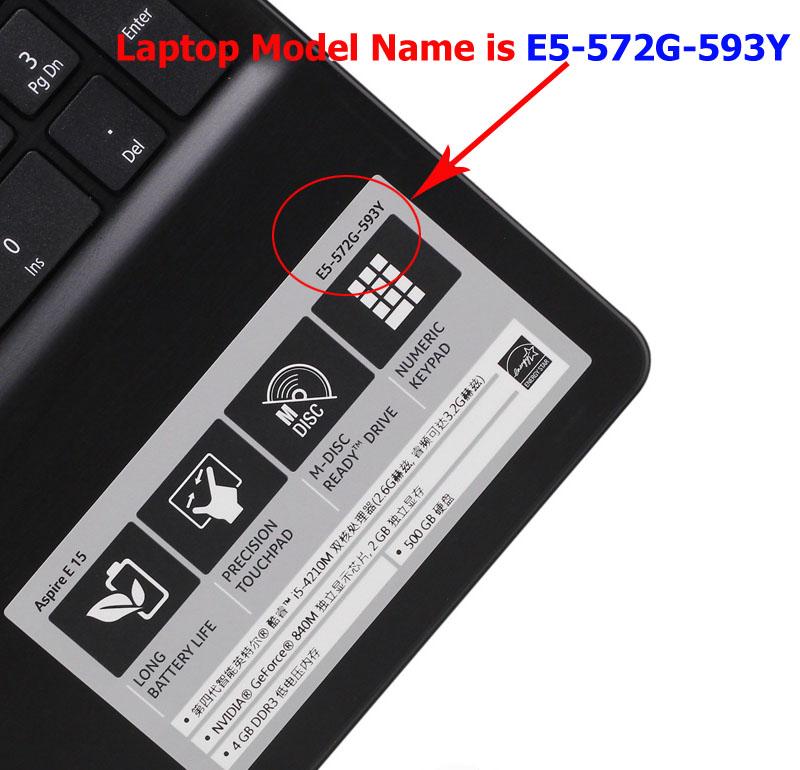
1.Open the laptop and check the area near the keyboard first. Manufacturers commonly print the computer model (such as Aspire 4736G for a Acer computer) on or near the keyboard.
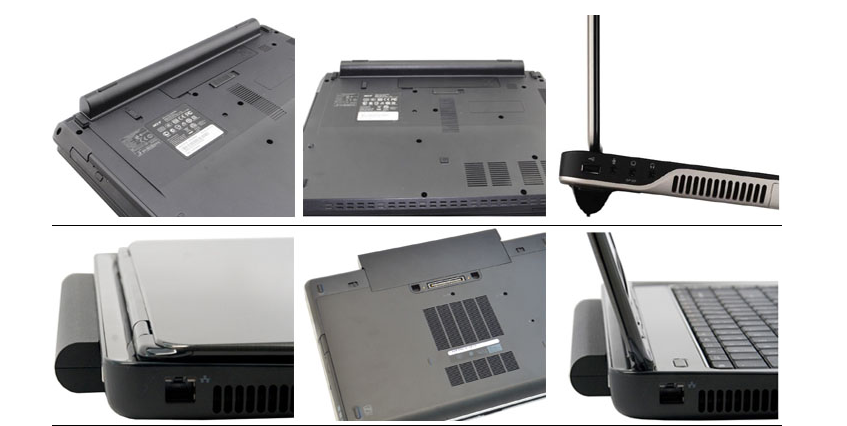
Please note : High capacity batteries with the bigger size shape, and them will extend out about 1 inch from the bottom / side of the laptop.

.jpg)

